Theme Settings
Last updated: April 23, 2025
Theme Settings
Overview
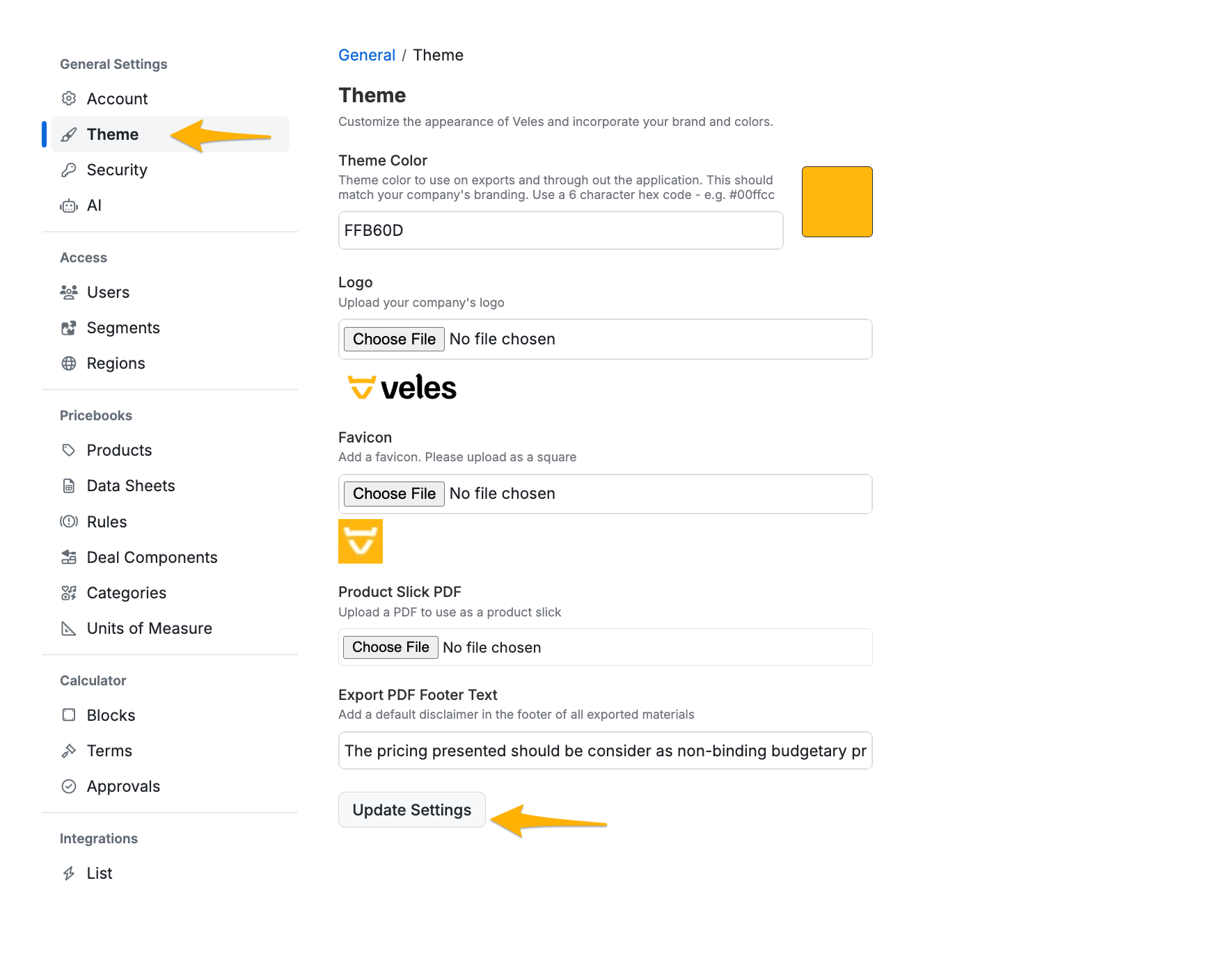
The Theme Page allows sellers to customize the Veles app to align with their company’s branding. This includes updating the theme color, logo, favicon, and export PDF footer text. By configuring these elements, you can ensure a consistent and professional appearance throughout the app and in all exported materials.
Key Features
Theme Color: Allows you to set the primary color of the Veles app to match your company’s branding.
How to Use: Enter a hex code for the desired color. The hex code ensures precise color matching with your company’s branding.
Logo: Enables you to upload your company logo, which will appear throughout the Veles app and on all exported documents.
How to Use: Upload a high-resolution image of your company logo. This image will be displayed in various locations within the app and on exported PDFs.
Favicon: Allows you to upload a square image that will be used as the favicon for the Veles app.
How to Use: Ensure the image is square (equal width and height) and upload it in the designated section. The favicon will be visible in the browser tab when the Veles app is open.
Export PDF Footer Text: This field allows you to add default footer text for all exported PDF documents.
How to Use: Enter the desired disclaimer or any other text you want to appear in the footer of exported materials. This ensures that all exports include important information or legal disclaimers by default.
If you have any questions or need further assistance, please contact our support team.