Pricing Option Blocks
Last updated: April 23, 2025
Pricing Option Blocks
Pricing Options support multiple pricing scenarios, offering clear cost breakdowns and comparisons to help customers choose the best option.
Overview
Pricing Option Blocks are a feature designed to help you present various pricing scenarios to your customers. These blocks allow for clear and structured comparison of different pricing models, enabling your customers to make informed decisions.
Key Features
• Multiple Scenarios: Present different pricing models such as one-time payments, subscriptions, or volume discounts.
• Detailed Breakdown: Provide a clear breakdown of costs associated with each pricing option, including any additional fees or discounts.
• Comparative Layout: Display the options side by side to facilitate easy comparison.
How to Use Pricing Option Blocks
Step 1: Access the Pricing Option Block
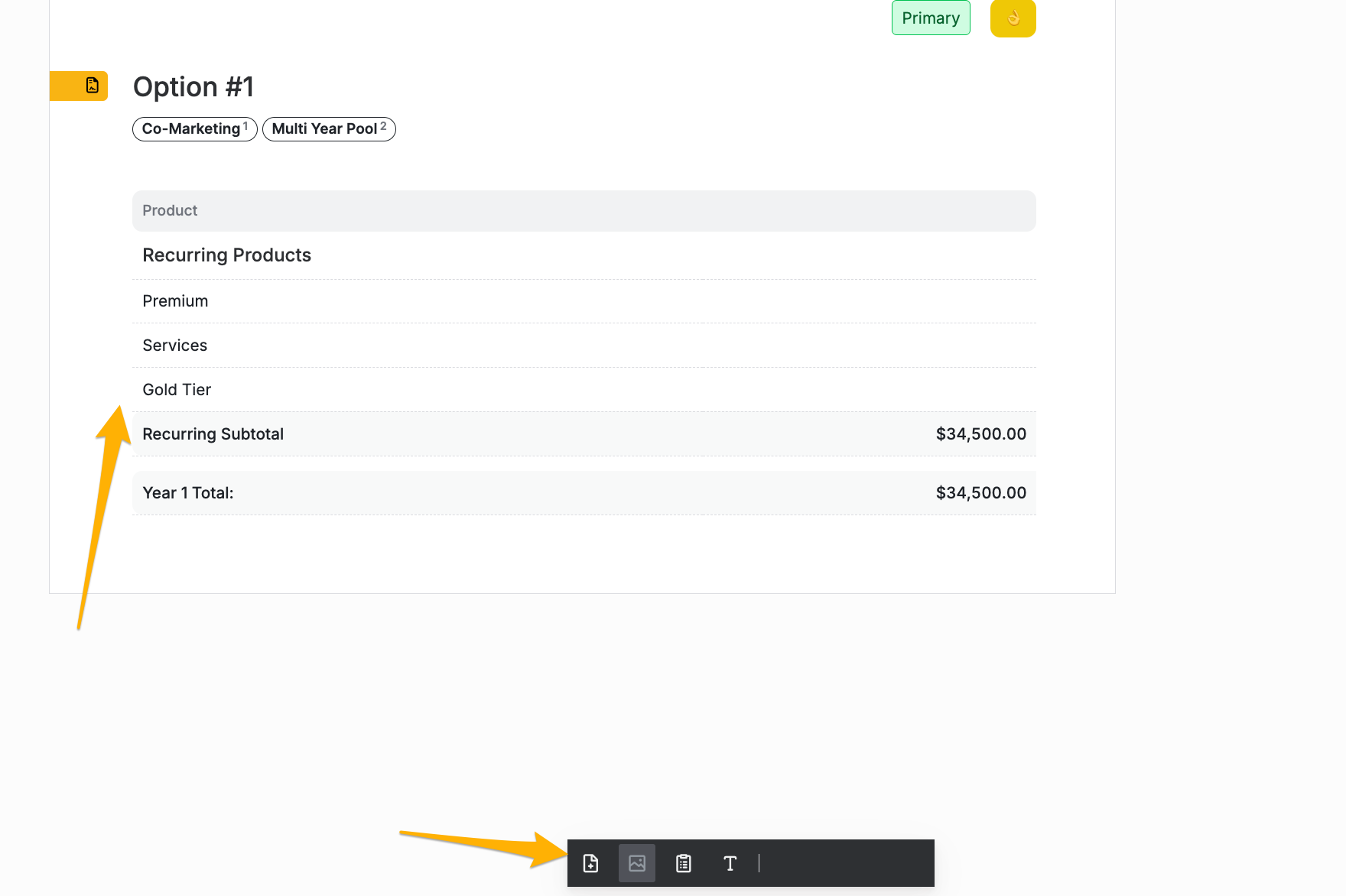
1. Navigate to the Quote Editor: Open the quote editor where you want to add the pricing options.
2. Insert a Pricing Option Block: Select the option to insert a Pricing Option Block from the toolbar or menu.
Step 2: Define Your Pricing Scenarios
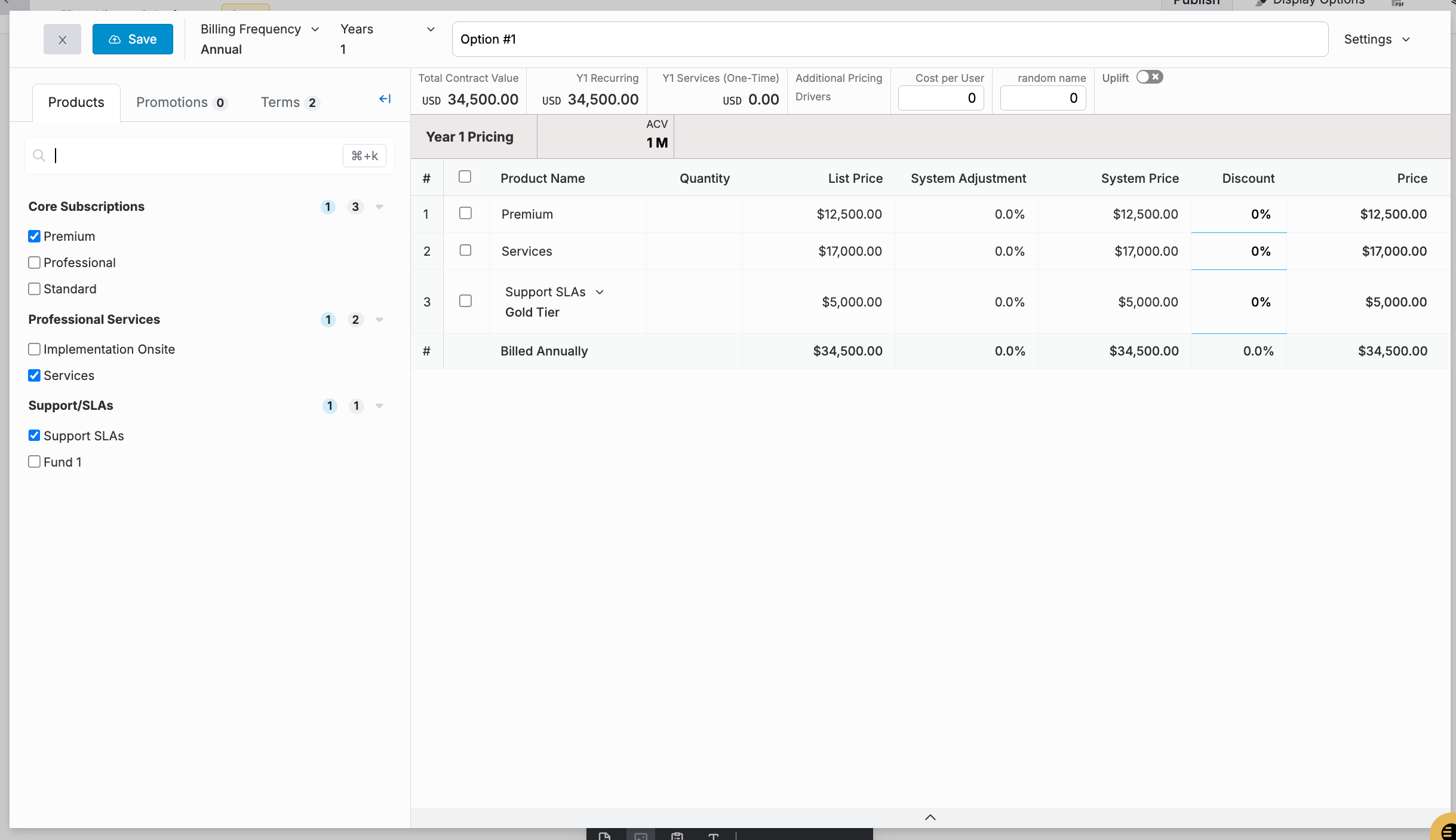
1. Add a Pricing Scenario: Click on “Add Option” to create a new pricing scenario.
2. Input Details: Enter the name, description, and detailed cost breakdown for each scenario. Ensure that all relevant fees and discounts are included.
Step 3: Compare Options
1. Side-by-Side Comparison: Ensure that each pricing scenario is presented in a way that allows for easy comparison. This can be done by aligning them next to each other.
2. Highlight Key Differences: Use formatting tools to highlight the key differences between each option, such as additional features or cost savings.
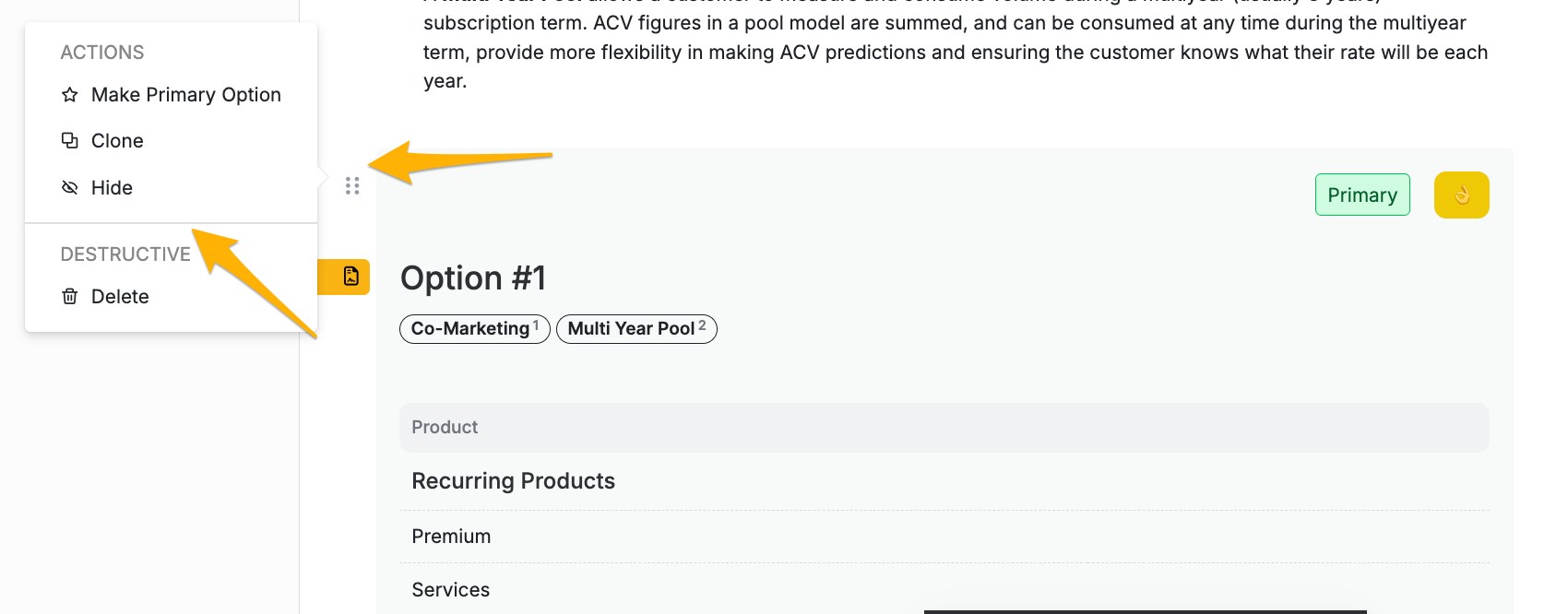
Cloning Options: When building multiple Options for a prospect, you may want to clone an option instead of starting from scratch. You can so by clicking the 6 dots to the left of the option you would like to clone.
Example of a Pricing Option Block
Option 1: Basic Package
- Initial Setup: $500
- Monthly Fee: $50
Option 2: Premium Package
- Initial Setup: $1,000
- Monthly Fee: $100
- Additional Features: 24/7 Support, Advanced Analytics
Option 3: Enterprise Package
- Initial Setup: $2,500
- Monthly Fee: $200
- Additional Features: Dedicated Account Manager, Custom Integrations
Best Practices
• Clarity: Ensure that all information is clear and easy to understand. Avoid jargon and use simple language.
• Transparency: Include all costs associated with each option to avoid any surprises for the customer.
• Customization: Tailor the pricing options to the specific needs and preferences of your customer.
Conclusion
Pricing Option Blocks are a powerful tool to help your customers understand and compare different pricing scenarios. By providing clear and detailed information, you can facilitate better decision-making and enhance customer satisfaction.
If you have any questions or need further assistance, please contact our support team.