Term Blocks
Last updated: April 23, 2025
Term Blocks
Term Blocks clearly outline discussed terms in quotes, ensuring transparency and professionalism during negotiations.
Overview
Term Blocks are a feature designed to clearly outline the commercial terms of a quote during the negotiation process. These blocks ensure that all parties are aware of the terms and conditions associated with the quote, including payment terms, delivery terms, and warranty/support details. Using Term Blocks helps create transparent and professional agreements with your customers.
Key use cases
• Payment Terms: Specify the payment schedule, due dates, and accepted payment methods.
• Delivery Terms: Outline the delivery timelines and any associated costs.
• Warranty and Support: Detail the warranty period and the support services included with the purchase.
How to Use Term Blocks
Step 1: Access the Term Block
1. Navigate to the Quote Editor: Open the quote editor where you want to add the term information.
2. Option the pricing option block that will be incorporating the term.
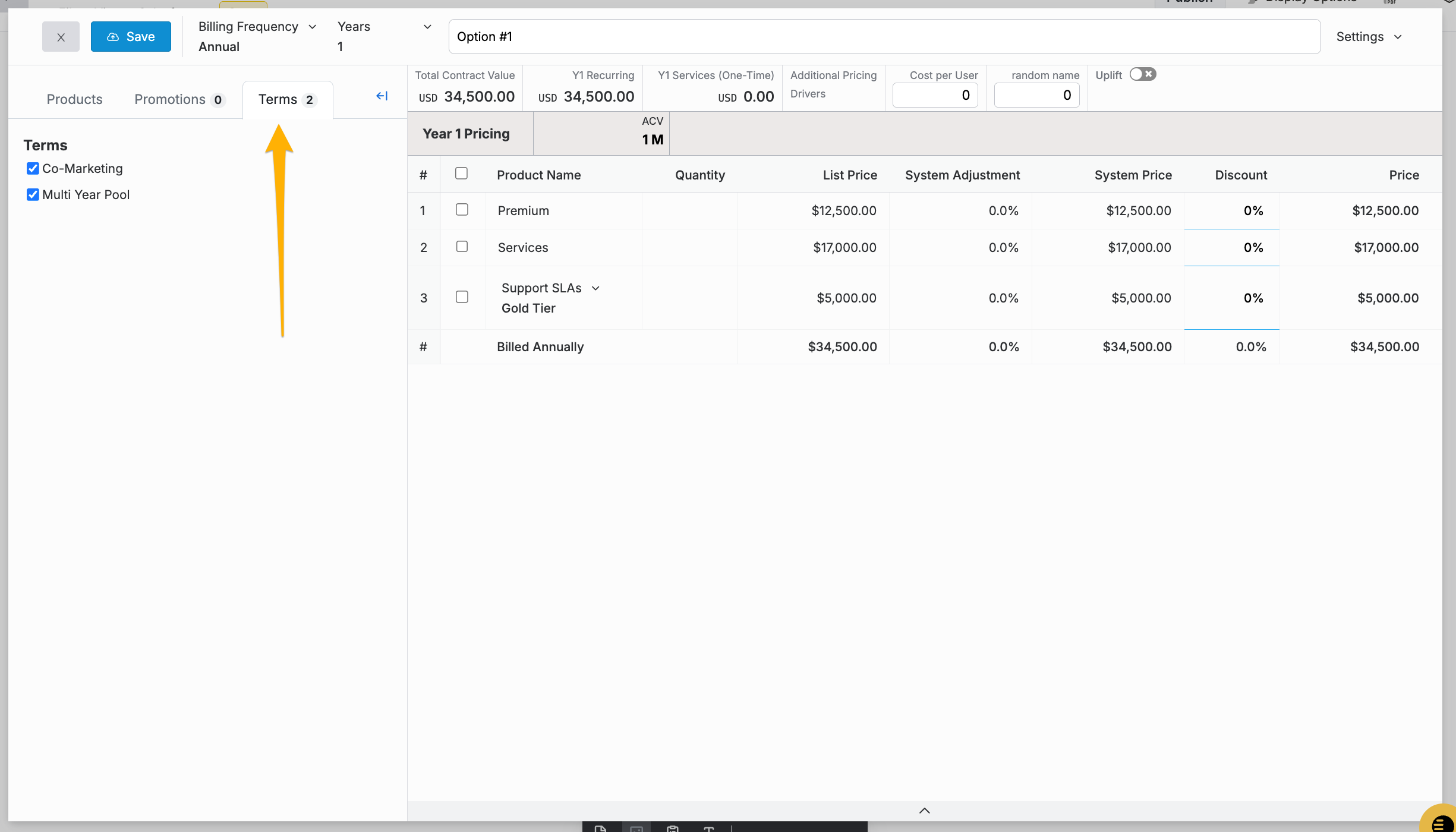
Step 2: Define Terms
1. Select the pre-approved term from the list of available terms.
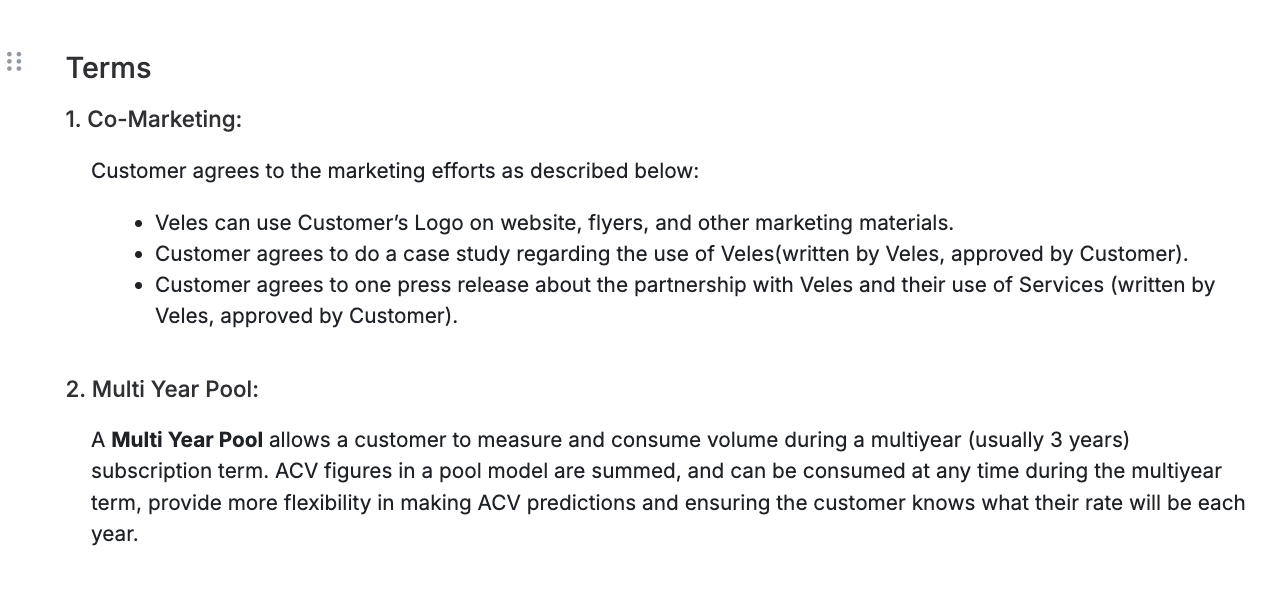
Example of a Term Block
Best Practices
• Clarity: Ensure that all terms are clearly defined and easy to understand.
• Transparency: Be transparent about all costs and conditions to avoid any misunderstandings.
• Consistency: Maintain consistent formatting and language throughout the term block for professionalism.
Conclusion
Term Blocks are essential for providing clear and detailed commercial terms in your quotes. By including payment terms, delivery terms, and warranty/support details, you can ensure transparency and professionalism in your agreements with customers.
If you have any questions or need further assistance, please contact our support team.