Quote Version Control
Last updated: April 23, 2025
Quote Version Control
Overview
Quote Version Control is a feature designed to help you manage different versions of your quotes effectively. Once a quote is built using Context Blocks, Pricing Option Blocks, and Term Blocks, you can lock and log a specific version to ensure consistency and traceability. This feature is crucial for maintaining a clear history of changes and ensuring that both you and your customers have access to the final agreed-upon terms.
Key Features
• Locking a Quote Version: Mark a quote as “Show to Customer” to lock that version in time.
• CRM Integration: Logs a copy of the locked quote version to your CRM as a completed Task.
• Version Availability: The locked quote version is accessible in the side panel on the right of the quote page.
How to Use Quote Version Control
Step 1: Build Your Quote
1. Create the Quote: Use the Context Blocks, Pricing Option Blocks, and Term Blocks to build your quote.
2. Review the Quote: Ensure all information is accurate and complete before finalizing.
Step 2: Publish you quote
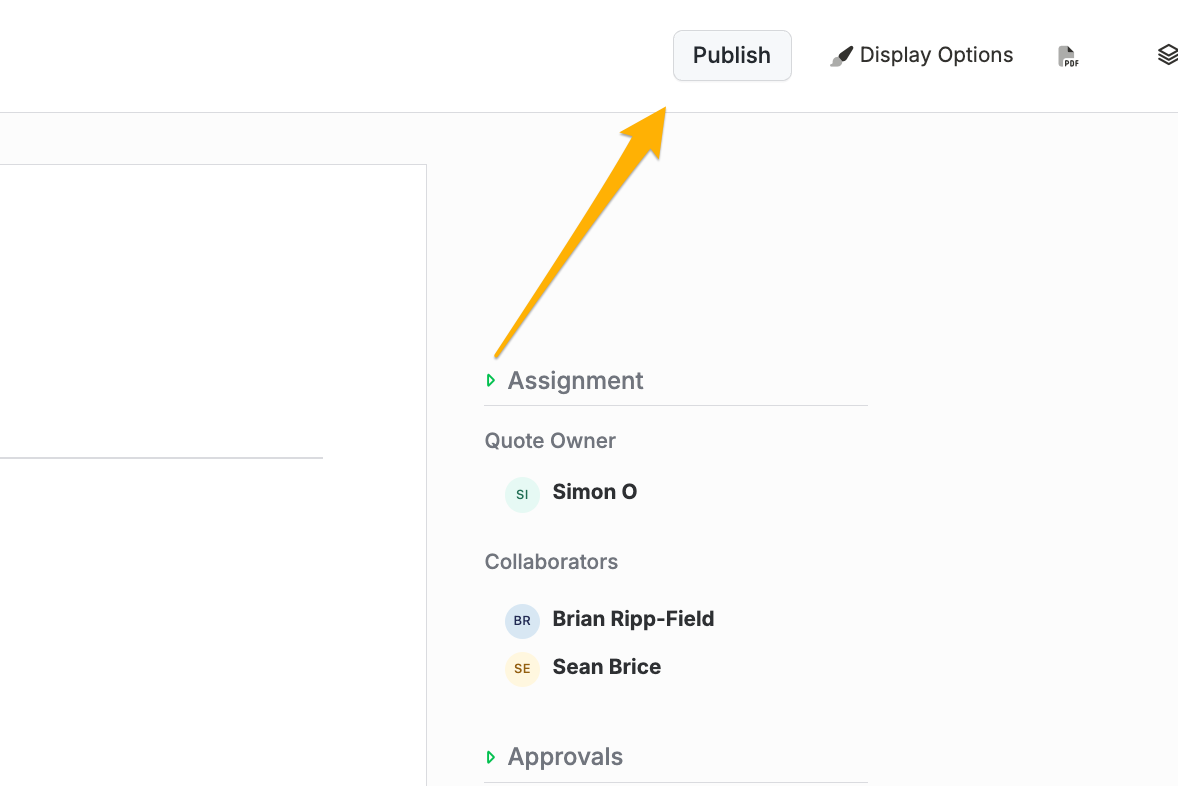
1. Select "Publish": In the quote editor, find the option to mark the quote as Published.
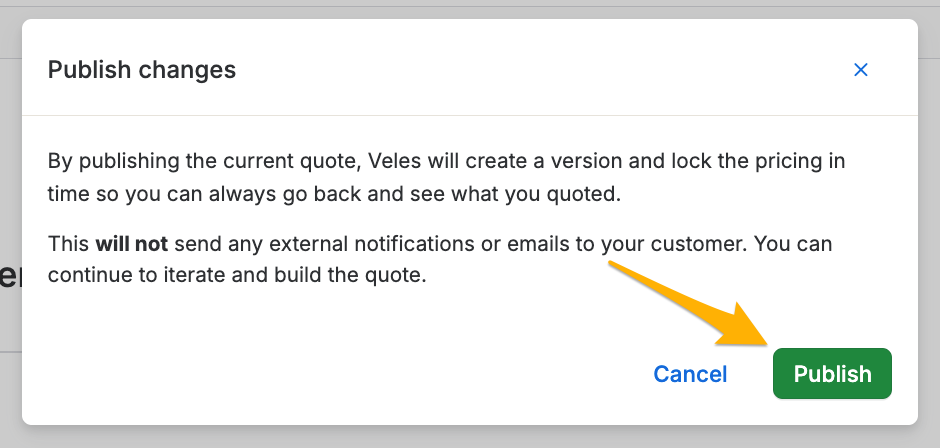
2. Confirm the Action: Confirm that you want to lock this version of the quote. This action will prevent further edits to this version.
Step 3: Logging to CRM
1. Automatic Logging: Once marked as “Show to Customer,” the system automatically logs a copy of the quote to your CRM as a completed Task.
2. Review in CRM: Navigate to your CRM to view the logged task and ensure that the quote is correctly recorded.
Step 4: Accessing Locked Versions
1. Side Panel Access: On the quote page, look at the side panel on the right to view all locked versions of the quote.
2. Version History: Each locked version is timestamped and can be accessed for reference or auditing purposes.
Best Practices
• Accuracy: Double-check all quote details before marking it as “Show to Customer” to ensure that the locked version is correct.
• Communication: Inform your customer that the quote has been finalized and provide them with a copy for their records.
• Traceability: Use the version history in the side panel to track changes and maintain a clear record of all quote iterations.
Conclusion
Quote Version Control is an essential feature for managing and tracking different versions of your quotes. By locking quotes and logging them to your CRM, you ensure a clear and consistent record of all quote versions. This not only helps in maintaining professionalism but also provides a reliable history for auditing and customer communications.
If you have any questions or need further assistance, please contact our support team.