Security: SAML SSO
Last updated: October 30, 2025
Veles supports SAML 2.0 for Single Sign-On (SSO), allowing users to authenticate through their identity provider. This enables centralized access control and secure user login without managing passwords in Veles.
Enable SSO in Veles
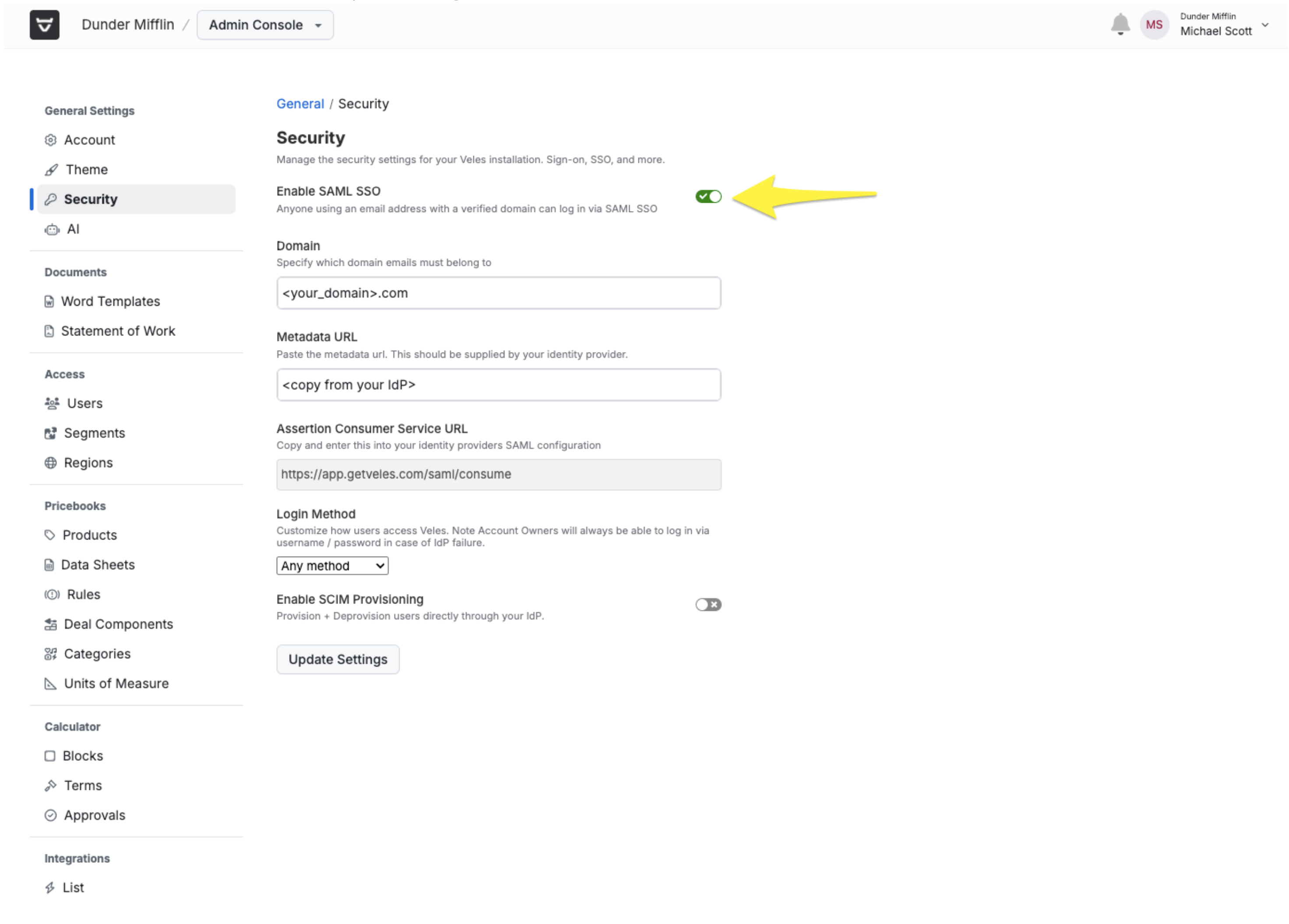
Within the Veles admin section, click on the “Security” tab and check the “Enable SAML SSO” checkbox.
This will bring up a form where you will need to enter the following:
Domain:
Enter your domain here, i.e. “getveles.com”
Metadata URL:
Copy this value from your IdP.
Login Method:
Any Method - Allows users to sign in either via SSO or Username / Password.
Only SAML SSO - Disables username / password login.
Once all values have been entered, click “Update Settings”.